
From Montessori records and attendance to family communication, admissions, and billing, msphere brings your entire school together in one simple platform — with AI built to make everyday work easier.
Already a school on msphere? Sign in
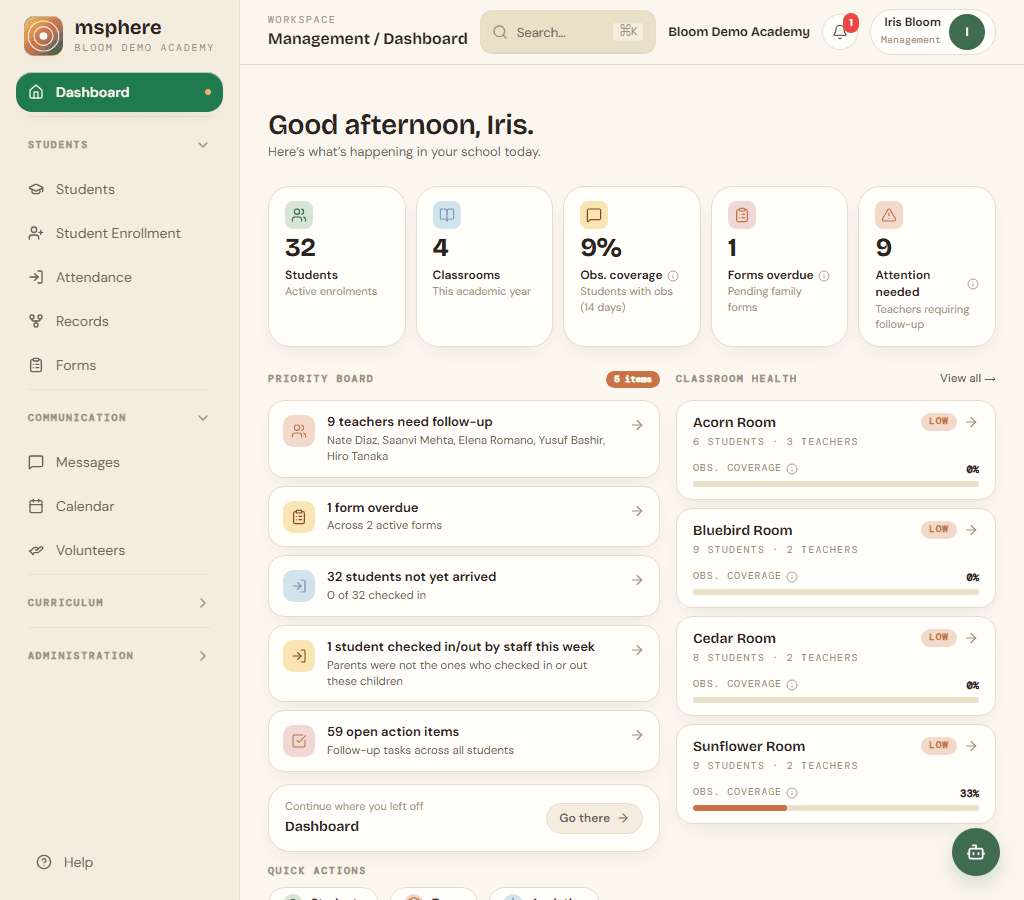
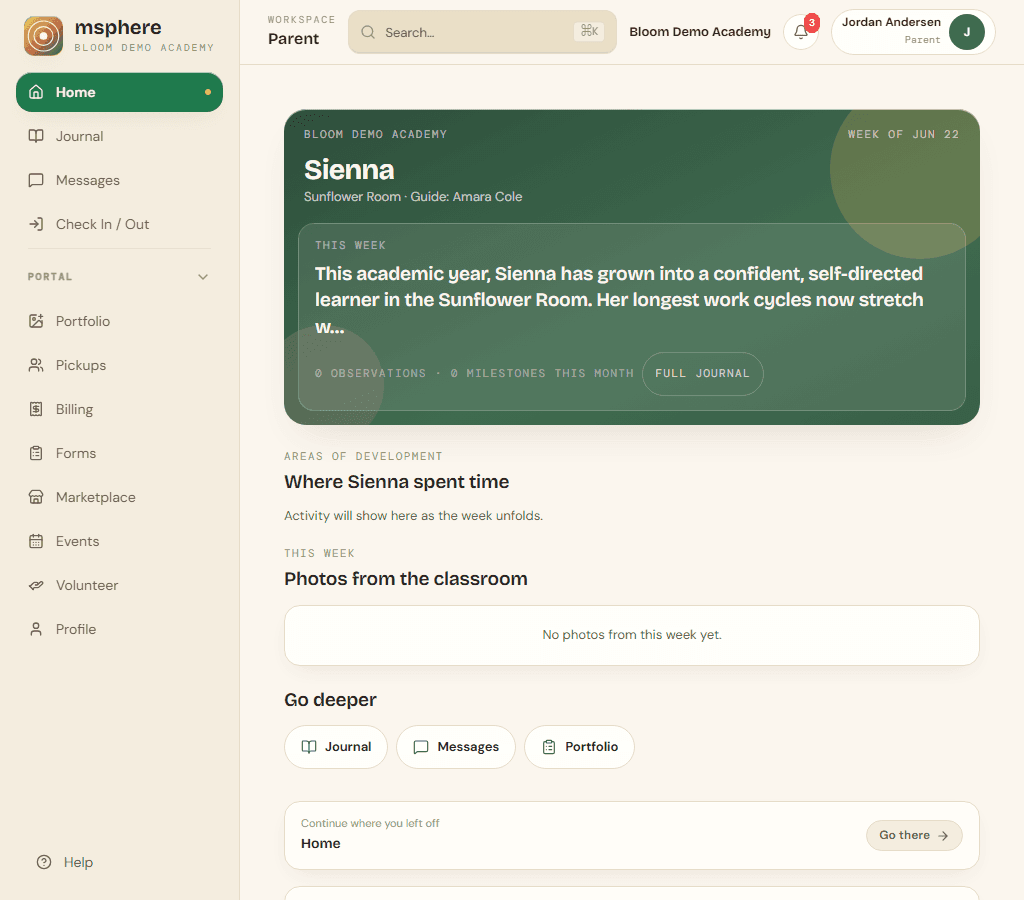
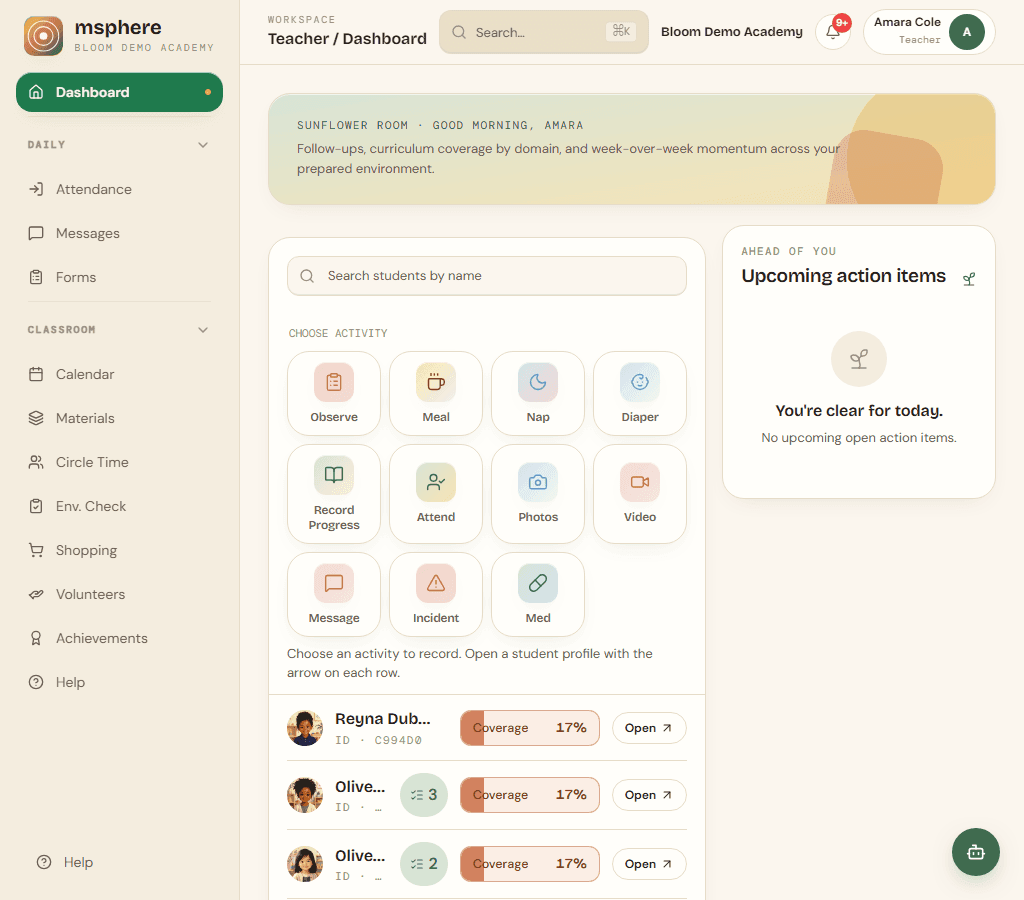
Trusted by Montessori schools
How it works
From the classroom to the family, in three steps.
01
Capture the moment
Teachers log observations, progress, and daily care in seconds, right from the classroom.
02
Track real growth
Every entry rolls into a living record of progress across the full Montessori scope.
03
Share what matters
Families and school leaders see the moments and milestones that matter, on your school's terms.
A workspace that adapts
Support every role in the school — without three different products.
The same record of growth, presented for the way each person works.
For teachers
Spend your time with children, not paperwork.
Record observations, mark progress across the Montessori albums, and capture the day — all from one calm workspace on any device.
- Observations in secondsJot what you see with a quick note or voice capture. Every entry is timestamped and attributed to you automatically.
- The whole prepared environmentMove materials through Presented, Working, and Mastered across every curriculum area with a tap-and-drag progress matrix.
- Daily care, handledLog meals, naps, photos, incidents, and attendance for the whole class without ever leaving your roster.
- Follow-ups that never slipAction items surface the next step for each child, right where you work.
Optional AI
Meet Bloom
Bloom is msphere's AI assistant. It uses the records you already keep and drafts the next note, message, or summary. You review everything before it goes out.
See Bloom in a demoClassroom help
Ask about a child, a material, or a follow-up — or speak a note in the room. Bloom answers from the classroom record.
Drafts for families
Conference talking points and parent messages drafted from progress and observations. You edit before anyone sees them.
Director summaries
Weekly summaries for leadership — coverage, follow-ups, and what needs a look.
Everything in one place
One record of growth. The tools a school needs around it.
Record keeping
Permanent, searchable records of each child's progress, observations, and daily care.
Learn moreObservations & progress
Quick notes tied to each child, plus Presented, Working, Mastered across the albums.
Learn moreAttendance & check-in
Kiosk, geofence, and parent check-in with an emergency roster.
Family updates
Photos, messages, and a journal families see — on the school's terms.
Admissions
Interest page, scheduled tours, and application review in one funnel.
Tuition & billing
Invoices, autopay, and Stripe payouts handled end to end.
Learn moreAlso included: forms, calendar, campuses, and encrypted records. See how msphere compares. Download free record-keeping templates.
Advisors
Counsel from educators who know the work.
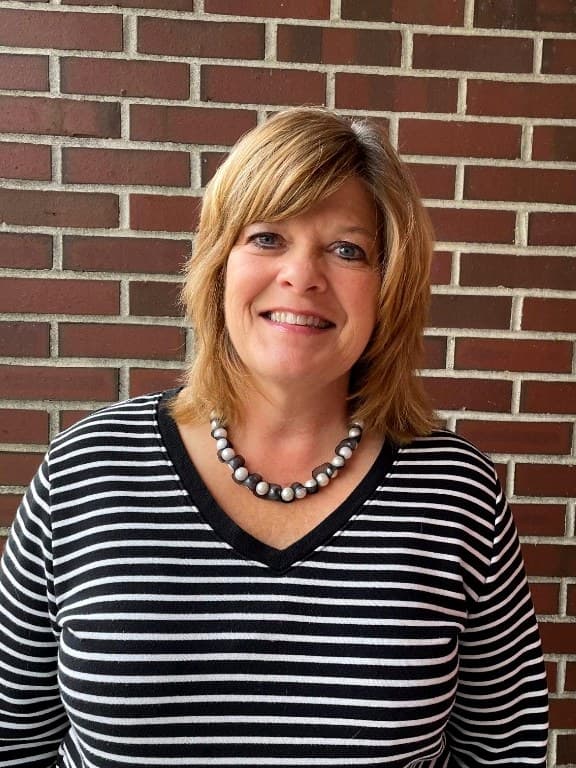
Advisor
Sharron Reece
Program Director, Montessori Teacher Preparation of Washington
Sharron advises msphere as a Montessori educator and adult trainer. She is Program Director of MTP of Washington, a MACTE-accredited program that has prepared thousands of teachers since 1973 and is one of the largest training centers in the Pacific Northwest.
She taught young children in the Montessori classroom before training adults — including the intern supervision alumni still name as the heart of their preparation. Her counsel keeps msphere aligned with album work, observation, and the prepared environment.
The experience and knowledge I gained while interning with Sharron and working for MTP were invaluable.

Director
Jennifer Kim
Director, DreamTree Preschool
Jennifer's work with young children began in child development courses at the University of Washington in 1995. After degrees in Speech and Hearing Science and Linguistics from UW, she completed her teaching certificate through Montessori Teacher Preparation of Washington in 2003.
She has taught and built programs in Vancouver, Orange County, Dubai, and Abu Dhabi. As Director of DreamTree — a bilingual Korean-English school — she still finds the work in watching children become capable, and families grow more confident as guides.

Advisor
Deepti Mishra
Educator and entrepreneur
Deepti has over 15 years of experience as an educator and entrepreneur. She advises msphere on the development of new content and features.
Partnership
Licensed classroom materials from MTP
msphere partners with Montessori Teacher Preparation of Washington (MTP). Teachers can browse and print licensed worksheets, presentation guides, and classroom materials from the Materials library — with MTP attribution on every download.
© 2026 Montessori Teacher Preparation of Washington ("MTP"). All rights reserved. Used under license. The Licensed Materials are proprietary educational materials owned by MTP.
Questions
Common questions about msphere
Straight answers for school leaders, teachers, and families evaluating Montessori school software.
What is msphere?
msphere is Montessori school software. Teachers record observations and album progress; the same workspace handles attendance, messages, admissions, and tuition billing — plus a private family portal.
What is Montessori software?
Montessori software is built around the albums, not a generic gradebook. It records materials as Presented, Working, or Mastered, keeps observation notes tied to the child and the work, and — in msphere — runs school operations in the same workspace.
How do Montessori observation notes work in msphere?
Teachers write a short, factual note from the classroom. It is dated, attached to the child, and can support a progress update or appear in the family journal.
Who is msphere for?
msphere is built for Montessori and early-childhood schools. Teachers use it daily; school leaders manage admissions, staff, and billing; families use the parent portal for journals, messages, forms, and payments.
Is msphere designed for Montessori schools?
Yes. msphere tracks curriculum materials through Presented, Working, and Mastered across Montessori domains, and supports observations tied to the prepared environment.
What can teachers do in msphere?
Teachers can log observations, mark progress on a curriculum matrix, record meals, naps, photos, attendance, and incidents, message families, and review follow-ups from a single classroom dashboard.
What can parents see in the msphere family portal?
Families see a weekly journal of observations, progress, photos, and videos the school chooses to share, plus messaging with teachers, forms, tuition invoices, and learning portfolios.
Does msphere handle tuition billing and school accounting?
Yes. Invoice families, accept online payments through Stripe, offer autopay, and keep a record of every payment — integrated with enrollment and the parent portal.
Does msphere handle admissions and school tours?
Yes. Schools can publish a public interest page, let families book tours, and continue into the enrollment application. Prospective children stay off the classroom roster until you approve.
Is there a mobile app for msphere?
Yes. Native apps for teachers and families on iOS and Android, plus a mobile-ready web app.
Can msphere replace paper-based Montessori record keeping?
Yes. Teachers record observations, mark curriculum materials through Presented, Working, and Mastered, log daily care, and build portfolios — time-stamped, searchable, and visible to school leaders.
Is there a Montessori record keeping app?
Yes. msphere is a Montessori record keeping app for the classroom and the office: native iOS and Android for teachers and families, plus the same records on the web.
What is the Montessori management platform in msphere?
The Montessori management platform is the full msphere workspace: album progress and observation notes, attendance and admissions, family messaging, forms, and tuition billing — one student record, not a classroom app plus a separate office system.
Does msphere support schools with more than one campus?
Yes. Each campus keeps its own roster, attendance, and staff. Billing, agreements, and the public admissions page stay school-wide.
Does msphere donate when a school uses the platform?
Yes. For every school onboarded and running on msphere, we donate $1 a day to charity that supports early childhood education for children with fewer resources.
Who advises msphere?
Sharron Reece, Program Director of Montessori Teacher Preparation of Washington (MTP), advises msphere. MTP is a MACTE-accredited training program that has prepared thousands of Montessori educators since 1973. Licensed MTP materials are available in the msphere Materials library. Deepti Mishra, an educator and entrepreneur with more than 15 years of experience, also advises msphere.
How do schools get started with msphere?
Existing schools sign in at the msphere login page. New schools can request a demo to see how teachers, leaders, and parents each use the platform.
What is Bloom in msphere?
Bloom is msphere's optional AI assistant. It uses the records teachers already keep and drafts the next note, message, or summary. A person reviews everything before it is shared with families.
See it in your school
Built for the prepared environment.
Walk through msphere with your classrooms and families in mind. Existing school accounts can sign in now.
Get the app